It has been a great week as I’ve been able to back and forth on the forge with @pierretux adding great features and fixes to the plugin.
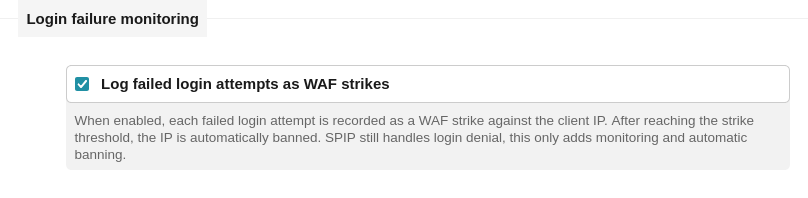
detect failed login attempts and block such IPs
added IPv6 support, added IPv6 blocklist
automatically delete request data after 90 days, blocked IPs are kept for 180 days and deleted after
Other smaller features, fixes and adjustments
…And improved performance for IP lookups! About this:
Analyzing 203497 requests:
p50 = 5.34ms (8.49 ms before) → half of all WAF checks complete in under 6 ms)
p95 = 9.83ms (18.64 ms before) → 95% of all checks complete in under 10 ms !!)
p99 = 39.64 (37.13 ms before ) → 99% of all checks complete in under 40 ms
There is more to optimize but less than 10ms overhead for 95% of requests is good! And for 50% of requests it’s only max 6ms overhead added…
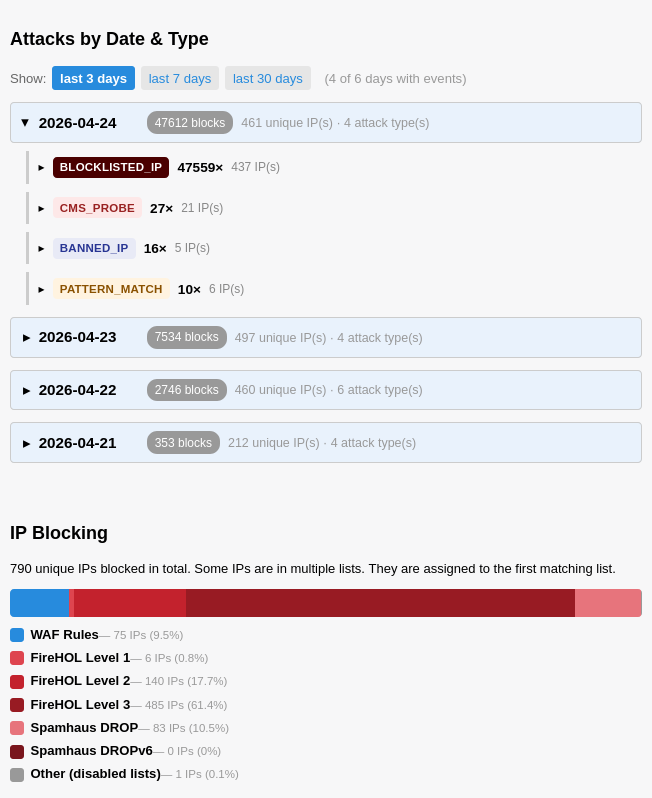
Dashboard allows to analyze each day by attack types, as well as understand how many requests are blocked based on the WAF’s rules and the IP blocklists:
There are no logfiles during normal use. The logfiles are only written if you want to study the performance stats for debugging. But that’s not enabled by default. I’ll change it over to spip_log, just a bad habit to use error_log. The actual data like offenses, blocks are written to the db.
/tmp/nospam_ip_list.txt looks like a great idea, I’ll look into it more! We can just add these IPs as a dynamic blocklist.
You have to be careful with database writting on events, because this is giving a malicious attaquant a very good way to operate a DDOS.
SPIP is designed to serve most of the hits (ie hits in cache) without connecting to the database in able to lower the server load.
By activating a plugin that use the database on each hit you are weakening this, and if you even are writing in the databse on each offending/abusive hit, I fear that on real large scale abuse of the website the result is going to be worse than the initial situation, leading to a serveur overload faster than letting SPIP serve the hits.
That said, this is just a reaction to your last comment, I did not audit the plugin.
 The actual data like offenses, blocks are written to the db.